Invoices that are done when you stop typing
Your details are remembered, the number increments itself, tax and totals add up as you go, and the PDF downloads on one click.
Auto numberingSaved companiesTax ratePDF export
Tiny Accounts is invoicing and expense tracking for freelancers who do not want accounting to become a second job. Three screens, no onboarding, no upsell.
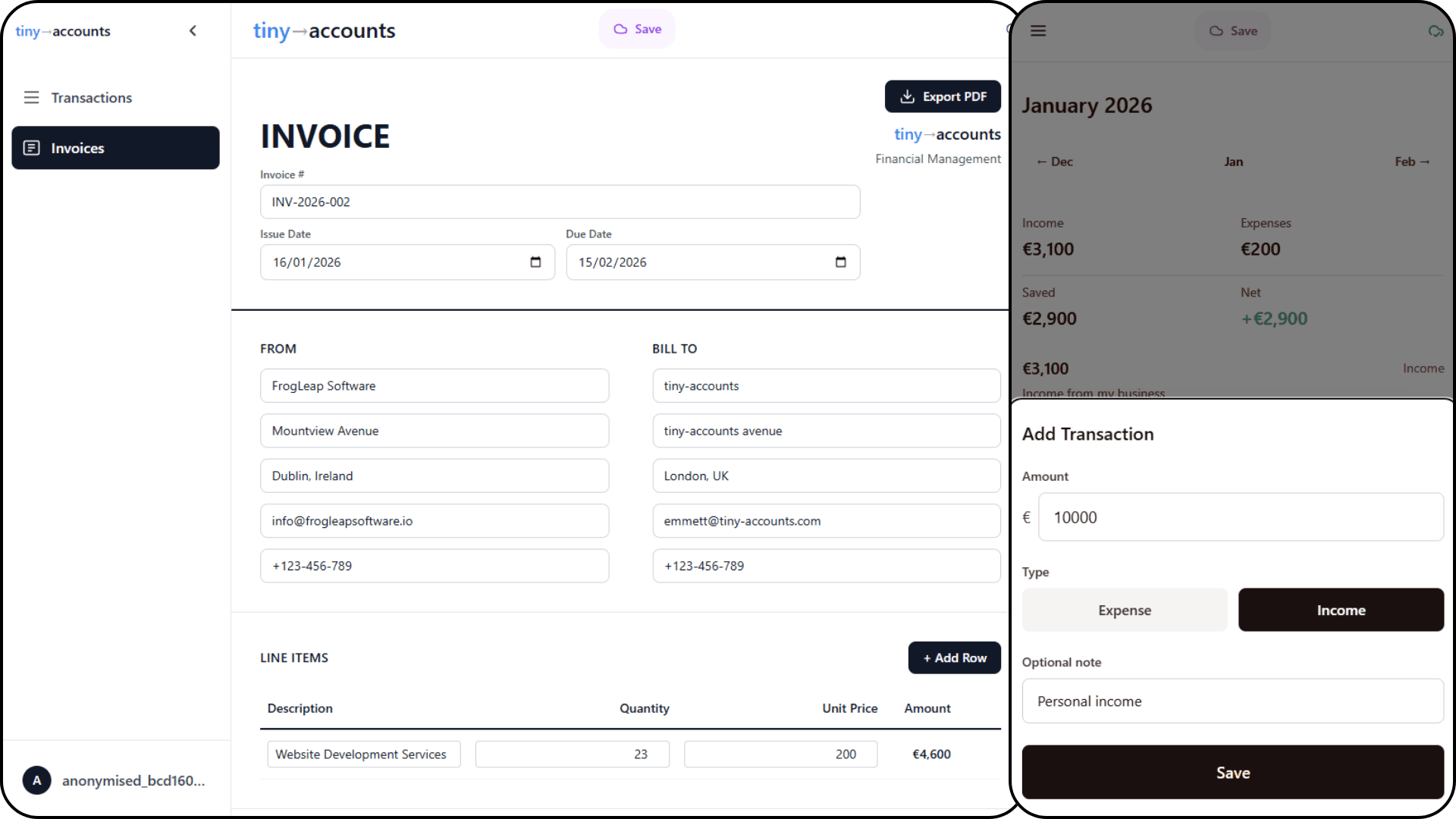
Amount, type, category, note. Four fields, one sheet, done in a few seconds — on a phone too.
Rent, retainers, subscriptions. Set the rule once and each payment appears as expected, then posts on its date.
A PDF invoice for the client, a single CSV — summary, category breakdown and every posted line — for the accountant.
Your details are remembered, the number increments itself, tax and totals add up as you go, and the PDF downloads on one click.
Expected payments show on a dashed card so they can never be mistaken for money that already moved.
Summary, breakdown by category and month, then every posted line. Any date range, including a fiscal year that starts in April.
Income against expenses over time and where the money went, in your own currency. No dashboard you will never open.
Your figures are not sold, not shared with advertisers and not used to train models. Delete the account and the rows go with it.
Because it is cheap to run and it was built for its author first. There is no paid tier and no card field anywhere in the product. If that ever changes, existing data stays exportable.
In a Postgres database hosted by Supabase, in rows tied to your account. It is not sold, not shared with advertisers and not used to train models. The privacy policy spells out exactly what is stored.
Invoices export as PDF, one click each. Transactions export as a CSV for any date range you choose, including fiscal years that do not start in January.
The tool is intentionally small. It grows when someone asks — write to emmett@frogleapsoftware.io.
Yes. Delete account in the account menu removes your login, transactions, recurring rules and invoices from the database straight away.
Start with a guest account — nothing to fill in, nothing to pay. Add an email later if you want it to sync.